 Help Center
Follow these steps to have the MiCollab app start and login automatically when you log into windows.
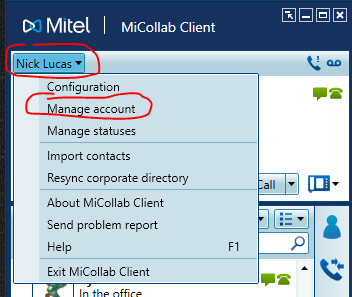
Click your name in the top left, then click manage account
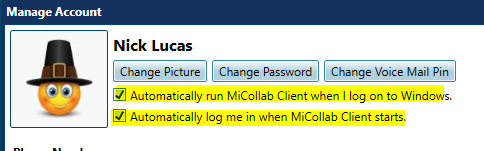
Make sure these two checkboxes are checked, then click close.
That's it! Contact IT support at support@freeholdcartage.com if you need further assistance.